Does your neck start to feel tight by the afternoon? Or does your lower back ache after a full day of video calls? If you work from home, your desk setup may be part of the problem.
For many Seattle remote workers, the kitchen table, couch, or spare room slowly became a permanent office. Over time, small things like screen height, chair support, and how long you stay in one position can start to affect how your neck and back feel. Desk ergonomics is simply about making your workspace fit your body better.
And since October is National Ergonomics Month [3], it’s a great time to take a few minutes and check your setup.
Why Does My Neck Hurt After Working at My Computer?
When your screen is too low or too far away, your head may start to drift forward. This is often called tech neck or forward head posture. Over time, that position can put extra strain on the muscles and joints in your neck and upper back.
You may also notice:
- Tightness through your chest and shoulders
- Stiffness in your upper back
- Weakness between your shoulder blades
- Neck pain that gets worse later in the day
- Headaches or tension around the base of your skull
This pattern is sometimes called upper crossed syndrome. Our article on upper and lower cross syndrome explains how these muscle imbalances can develop. Your lower back can also become uncomfortable if your chair does not support you well or if you tend to sit on the edge of your seat for long periods.
Your Five-Minute Desk Ergonomics Check
You do not need a fancy home office to make your workspace more comfortable.
Use this quick checklist, based on OSHA’s computer workstation guidance [1][2]:
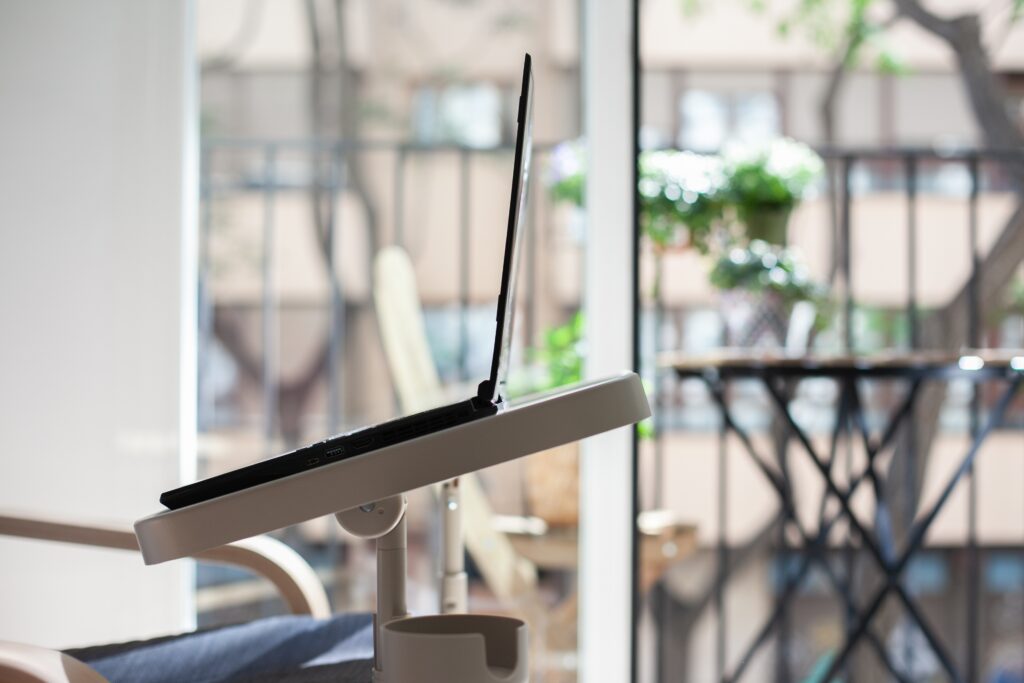
- Monitor height: Keep the top of your screen at or just below eye level. If you use a laptop, consider raising it on a stand and using a separate keyboard and mouse.
- Screen distance: Position your monitor directly in front of you, roughly 20 to 40 inches away.
- Elbows and wrists: Keep your elbows close to your sides and bent at about 90 to 120 degrees. Your wrists should stay fairly straight.
- Back support: Your lower back should feel supported by your chair. A small cushion or rolled towel may help.
- Feet and hips: Keep your feet flat on the floor or on a footrest, with your knees around the same height as your hips.
- Movement breaks: Change positions regularly. Stand, stretch, or take a short walk throughout the day instead of staying in one position for hours [1].
If several of these feel off, a few small adjustments may make your workday much more comfortable.
Is There a Quick Fix for Bad Posture?
Not usually. A better workstation is a great place to start, but posture is also influenced by your strength, mobility, habits, and how often you move throughout the day. If your body has adapted to months of slouching or sitting in the same position, you may benefit from both stretching and strengthening.
Simple exercises can include:
- Chin tucks
- Doorway chest stretches
- Shoulder blade squeezes
- Gentle neck movement
- Short walking breaks between meetings
These may help reduce tension, but if your pain keeps coming back, it may be worth getting assessed.
How a Chiropractor for Neck and Back Pain Can Help
At Tangelo Health, care starts with understanding what may be contributing to your discomfort.
Our chiropractors look at how your body moves and may use the Selective Functional Movement Assessment to identify areas of stiffness, weakness, or poor movement control.
Depending on your needs, your care plan may include:
- Chiropractic adjustments
- Soft tissue techniques such as Active Release Technique
- Mobility work
- Functional rehabilitation exercises
- Guidance on posture and movement habits
The goal is not just to treat the sore area, but to help you move more comfortably throughout your workday.
Whether you are looking for neck pain care or a back pain chiropractor in Seattle, your treatment plan is built around your symptoms, your movement, and your daily routine.

Frequently Asked Questions
What is tech neck?
Tech neck is a common term for neck and upper back discomfort linked to spending long periods looking down at phones, laptops, or other screens. It is often associated with forward head posture and muscle tension through the neck and shoulders.
Can a chiropractor help with posture?
A chiropractor can help identify movement restrictions, muscle imbalances, and habits that may be affecting your posture. Treatment may include hands-on care, mobility work, and exercises designed to improve strength and movement. Your daily habits and workspace setup also play an important role.
Can chiropractic care help lower back pain from sitting?
Chiropractic care may help with lower back discomfort related to prolonged sitting by addressing joint stiffness and muscle tension.
For many people, combining care with a more supportive workstation and regular movement breaks can be especially helpful.
When should I see a chiropractor for neck or back pain?
Consider booking an assessment if your pain:
- Lasts more than a few days
- Keeps returning
- Is affecting your work or sleep
- Comes with numbness or tingling
- Is associated with headaches
If you experience severe or rapidly worsening symptoms, seek medical care promptly.
Small Changes Can Make Your Workday More Comfortable
Your desk setup may not explain every ache or pain, but it is one of the easiest places to start. Adjusting your screen, improving your chair support, and moving more often throughout the day can all help reduce unnecessary strain. And if your discomfort continues, an assessment can help you understand what may be contributing to it.
Find Support at Tangelo Health
You do not have to accept neck or back pain as part of working from home. Book an appointment with Tangelo Health with our Green Lake chiropractor and West Seattle chiropractor teams that help remote workers across Seattle better understand their symptoms and build a plan that supports more comfortable movement.
References
- Occupational Safety and Health Administration. (n.d.). Computer workstations eTool: Neutral working postures. U.S. Department of Labor.
https://www.osha.gov/etools/computer-workstations/positions - Occupational Safety and Health Administration. (n.d.). Computer workstations eTool: Monitors. U.S. Department of Labor.
https://www.osha.gov/etools/computer-workstations/components/monitors - Human Factors and Ergonomics Society. (n.d.). National Ergonomics Month.
https://www.hfes.org/Events/National-Ergonomics-Month